
Best Travel Laptop Stand and Keyboard for Working From an Airbnb: Fix the Kitchen-Table Hunch

Disclosure: inventgo may earn a commission if you buy through links on this page, at no extra cost to you. Learn more.
On this page
Comparison table
| Roost V3 Plus ★ | Nexstand K2 | Logitech Keys-To-Go 2 | |
|---|---|---|---|
| Type | Folding laptop stand | Folding laptop stand | Slim Bluetooth keyboard |
| Weight | 6 oz (178 g) | 234 g | 222 g |
| Folded / packed size | 1 × 1.5 × 13 in | 36 × 3.8 × 3.8 cm | 250 × 105 × 8.77 mm |
| Adjustment | 11 heights, 5–14 in screen lift, quick-release | 8 heights, 14–29 cm | Easy-Switch between up to 3 devices |
| Fits | 12–18 in laptops | 10–17 in laptops (front edge under 2 cm) | Windows, macOS, ChromeOS, iPadOS, iOS, Android |
| Power | None needed | None needed | 2 × CR2032, up to 36 months |
| Best for | Lightest eye-level setup | Heavier laptops, stability | Typing with a raised laptop |
| Price | Check current price | Check current price | Check current price |
Specs come from Roost's, Nexstand's and Logitech's official product and support pages, checked 27 Oct 2026.
Short-term rentals are great for longer stays, but few have a proper desk. Most days you'll work at a dining table, a breakfast bar or the sofa. On a flat table, a laptop screen sits well below eye level, so you spend the day looking down. A folding stand lifts the screen, and a slim keyboard lets you type at a normal height. If you also need a second screen or more ports, see our guides to portable monitors for Airbnb remote work and USB-C hubs for remote work.
Roost V3 Plus: the best overall
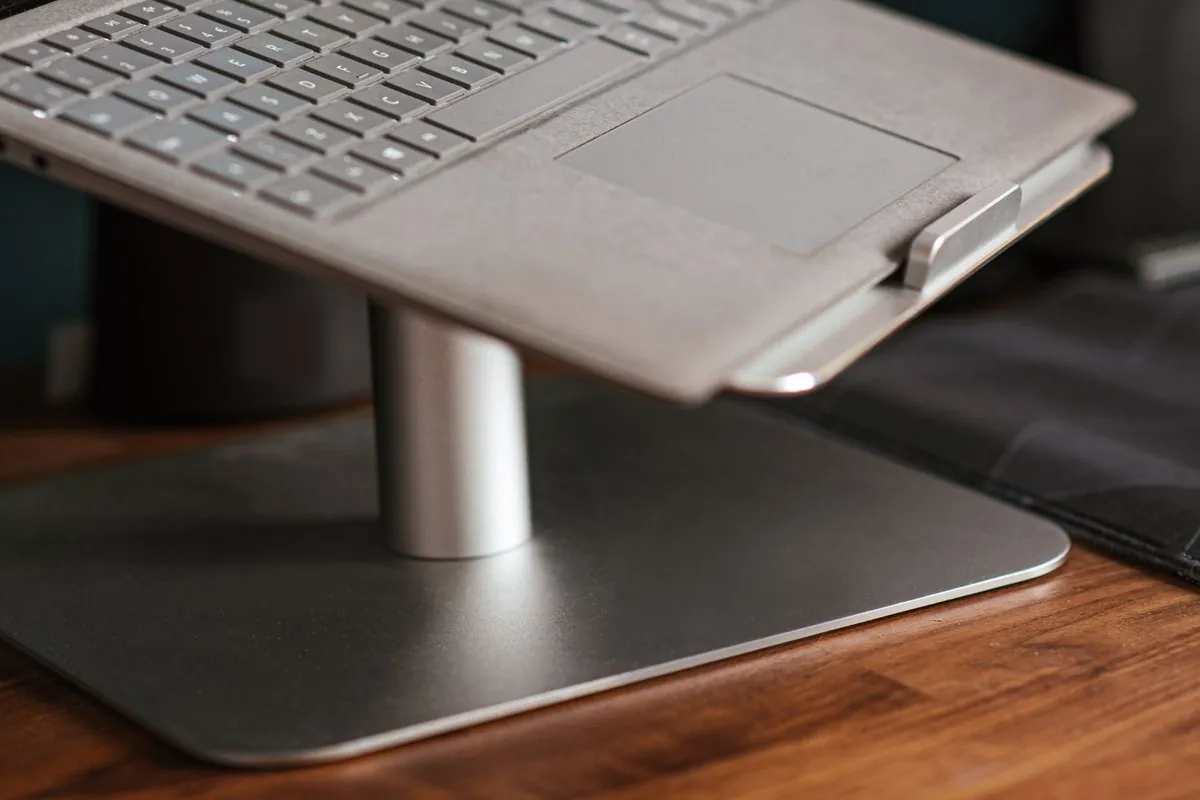
Roost V3 Plus
- Screen lift 5-14 in
- 11 height settings
- 6 oz (178 g); folds to 1 x 1.5 x 13 in
Best for: Remote workers who want the lightest eye-level setup with height changes on the fly
Check priceThe V3 Plus is Roost's newer take on its V3 folding stand. Roost lists it at 6 oz (178 g), folding to 1 × 1.5 × 13 in, a thin bar that fits easily in most laptop bags. Compared with the standard V3, it adds range and convenience. You get 11 height settings and a 5–14 in screen lift, compared with 7 settings and 6.5–12.5 in on the V3, plus quick-release adjustment, so you can change the height without taking your laptop off.
Roost says the stand fits 12–18 in laptops, with self-adjusting "PivotGrips" that lock onto the laptop's edge. Roost describes the frame as an interlocking truss, built to keep the screen still while you type on a separate keyboard.
Pros
- Lightest stand here at 178 g
- 11 heights and quick-release adjustment
- Folds into a thin 13 in bar
Cons
- Takes a little practice to set up at first, though Roost includes removable "pull tabs" to help
- You need a separate keyboard, as with any raised stand
Who it's for: long-stay renters and digital nomads who move between tables, cafés and co-working spaces and want the lightest setup in this guide.
If you don't need the extra height range or quick-release, the standard Roost V3 has the same weight and folded size.
Nexstand K2: the sturdy all-rounder
Nexstand K2
- 8 heights
- 14-29 cm
- 234 g; folds to 36 x 3.8 x 3.8 cm
Best for: Renters with heavier 15-17 in laptops who want a sturdy, simple stand
Check priceThe Nexstand K2 is a simple scissor-style stand made from fibreglass-reinforced nylon. Nexstand lists it at 234 g, folding to 36 × 3.8 × 3.8 cm, with 8 height positions from 14 to 29 cm. It fits 10–17 in laptops with a front edge thinner than 2 cm, and is rated for loads of up to 9 kg. That makes it a sensible choice for a bigger 15 or 16-inch machine.
Open, it needs about 25 × 22 cm of table space, which is worth knowing on a small bistro table or a narrow breakfast bar. The open design lets air flow under the laptop, and it has non-slip rubber feet. A nylon carry sleeve and spacers for ultra-thin laptops come in the box. Nexstand covers it with a one-year warranty.
Pros
- Rated to hold up to 9 kg, suitable for larger laptops
- Height range of 14–29 cm
- Carry sleeve and thin-laptop spacers included
Cons
- A little heavier and longer when folded than the Roost
- No quick-release, so you set the height before putting the laptop on
Who it's for: remote workers with heavier 15–17 in laptops who want a straightforward stand.
Logitech Keys-To-Go 2: the keyboard that completes the setup
Logitech Keys-To-Go 2
- 222 g; 250 x 105 x 8.77 mm
- Bluetooth
- Easy-Switch between up to 3 devices
Best for: Anyone raising their laptop who still needs to type comfortably
Check priceOnce your screen is at eye level, the laptop's own keyboard is too high for comfortable typing, so a separate keyboard completes the setup. The Logitech Keys-To-Go 2 is a slim, light option from a major brand. Logitech's support page lists it at 222 g and 250 × 105 × 8.77 mm, with scissor keys and a built-in cover that protects the keys in your bag.
It connects over Bluetooth and switches between up to three devices with Easy-Switch keys, so you can move from laptop to tablet to phone. It runs on two replaceable CR2032 coin cells, which Logitech rates at up to 36 months. That's one less thing to charge in a rental with few sockets. The Universal layout works with Windows, macOS, ChromeOS, iPadOS, iOS and Android, and there's a separate Apple layout. Logitech says the plastic parts include 33–36% certified post-consumer recycled plastic, depending on colour.
Pros
- Slim, light and has a built-in cover
- Three-device switching
- No charging needed for years, according to Logitech
Cons
- Compact layout with no backlight
- Coin-cell batteries rather than USB-C charging
Who it's for: anyone using a laptop stand, and tablet users who want a proper keyboard for emails and documents.
How to choose

- Weight and folded length: For carry-on-only trips, the Roost V3 Plus (178 g, 13 in folded) packs easiest. The 36 cm Nexstand K2 needs a longer laptop compartment.
- Laptop size and weight: Roost lists 12–18 in laptops. Nexstand lists 10–17 in with a front edge under 2 cm. If you carry a heavier laptop, look at the K2: Nexstand rates it to hold up to 9 kg.
- Height: Aim for the top of the screen near eye level. Taller users, or anyone working at low coffee tables, benefit from a bigger range.
- Table space: Rental tables are often small. The K2 needs about 25 × 22 cm when open, plus room in front for the keyboard.
- Keyboard power: Coin cells (Keys-To-Go 2) mean no charging. Pack spare CR2032s for long trips.
Stay connected and covered: rental Wi-Fi can be patchy, so pair your setup with a travel eSIM as a backup for calls when the router drops. See our best travel eSIM guide. If you're carrying a work laptop for weeks at a time, check that your travel insurance covers electronics. Our travel insurance for digital nomads guide explains what to look for.
Our verdict
The Roost V3 Plus is our pick for working from an Airbnb or home-stay. At 178 g, it's the lightest stand here, with 11 height settings and quick-release adjustment, and it folds into a thin 13 in bar. Choose the Nexstand K2 if you carry a heavier 15–17 in laptop and want a 9 kg load rating. Whichever stand you choose, pair it with the Logitech Keys-To-Go 2 so you can type at a comfortable height.
Shop the setup: Roost V3 Plus · Nexstand K2 · Logitech Keys-To-Go 2
FAQ
Do I really need a separate keyboard with a laptop stand?
Yes. Once the screen is at eye level, the built-in keyboard sits too high and at the wrong angle for comfortable typing. A slim Bluetooth keyboard such as the Keys-To-Go 2, plus a small mouse, solves this.
Can I use the Keys-To-Go 2 with my phone or tablet too?
Yes. It pairs with up to three devices over Bluetooth and switches between them using the Easy-Switch keys. Logitech lists support for Windows, macOS, ChromeOS, iPadOS, iOS and Android.

 Work Anywhere

